Why Pre-Wire Planning Is Essential for New Construction Smart Homes
Introduction: Smart Homes Are Won or Lost in the Wiring Phase
Homeowners building custom homes in Los Angeles and Ventura County in 2025–2026 expect more than granite countertops and hardwood floors. They expect integrated smart lighting that dims on command, whole home audio streaming throughout every room, rock-solid wi-fithat never drops, and security camera systems that protect their property around the clock. These expectations are now standard—not luxury add-ons.
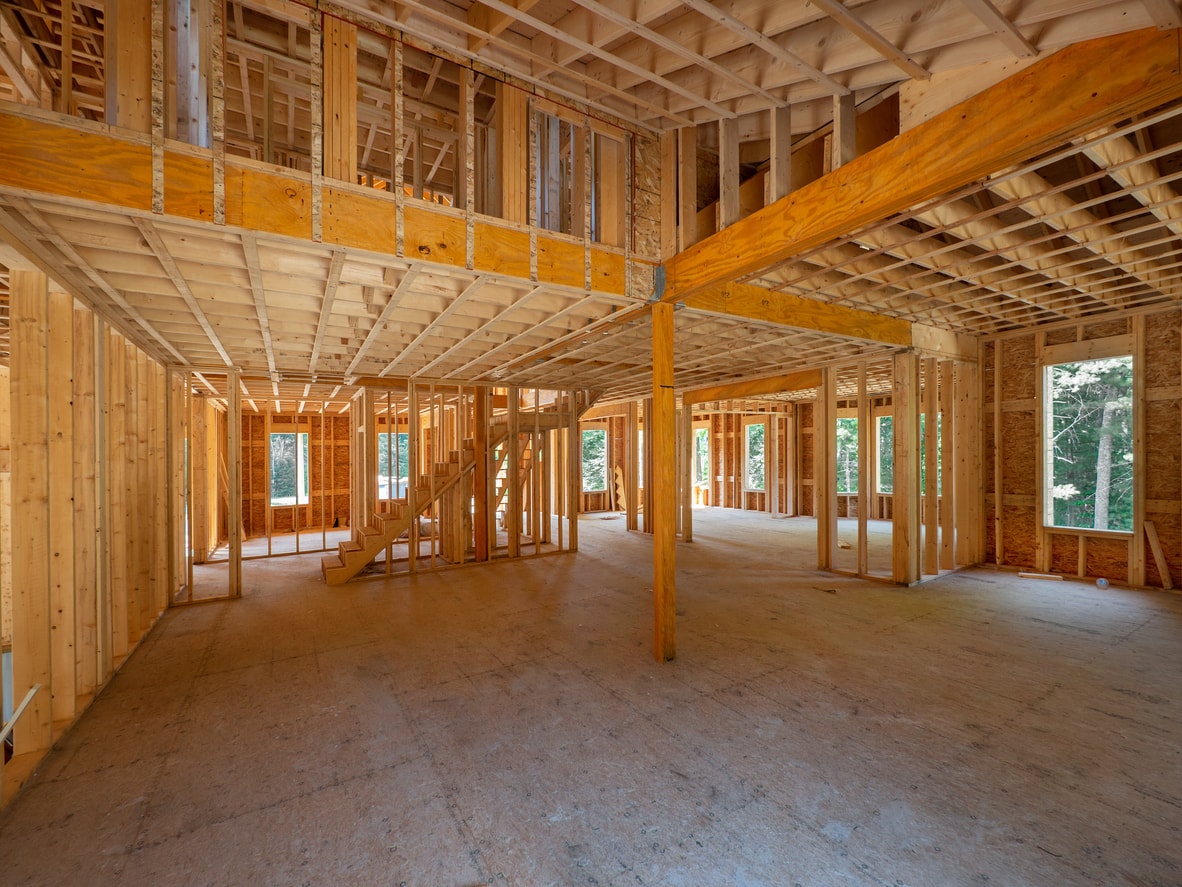
Here’s what many homeowners don’t realize: what happens between framing and drywall determines how “smart” and reliable their home will feel for the next 10–20 years. This narrow window—the pre drywall stage—is when the nervous system of your smart home gets installed. Once those finished walls go up, your options become limited, expensive, and often visually compromised.
Smart home low voltage pre wiring isn’t just about pulling extra cable through studs. It’s a design process that aligns architecture, interior design, and technology into a seamless smart home experience. It requires early planning, coordination with builders and designers, and a clear vision of how you’ll live in your space.
At Get Wired Tec, we’re an HTA-certified smart home and AV integrator specializing in low voltage pre-wire design and installation for new construction and major remodeling projects throughout Los Angeles and Ventura Counties. We’ve seen firsthand how the right infrastructure transforms a beautiful house into a truly intelligent home—and how skipping this phase creates headaches for years to come.
In this guide, we’ll walk you through exactly what to plan, when to plan it, and who needs to be involved. Whether you’re breaking ground next month or still reviewing blueprints, this is the information you need to get your smart home right from the start.
Why Low Voltage Pre-Wire Planning Beats Retrofits Every Time
Let’s look at a real-world scenario. A family in Calabasas wants to add whole home audio and hard-wired networking to their finished 4,000 square foot home. The house was built five years ago with standard electrical—no provisions for distributed audio, no ceiling drops for wireless access points, no centralized location for network equipment.
The retrofit project requires:
-
Cutting access holes in ceilings and walls throughout the house
-
Fishing cables through insulated cavities blindly
-
Patching and repainting multiple rooms
-
Relocating furniture and covering belongings during construction
-
Accepting compromises like surface-mount raceways where cables can’t be hidden
Total cost for a basic whole-home audio and networking retrofit: $18,000–$25,000, plus three weeks of disruption.
Now compare that to pre wiring the same capability during construction. With walls open and framing exposed, the same infrastructure costs roughly $6,000–$9,000—and zero disruption since the family hasn’t moved in yet.
|
Scenario |
Approximate Cost |
Disruption Level |
Aesthetic Result |
|---|---|---|---|
|
Pre-wiring during construction |
$6,000–$9,000 |
None (pre-move-in) |
Completely hidden |
|
Retrofitting finished home |
$18,000–$25,000 |
2–3 weeks |
May require visible compromises |
The math is clear: pre-wiring during home construction adds a few percent to your low-voltage budget, while retrofitting later costs 2–3x more for the same capability—sometimes more.
Beyond cost, consider the practical reality. Retrofits mean dust, drywall patches that never quite match, and the stress of living through construction. They mean cables that can’t reach certain locations, visible wiring where you wanted clean walls, and systems that work “well enough” rather than perfectly.
A note on Southern California timing: Pre-wire installation must be inspected before walls close. In Los Angeles and Ventura counties, coordinating low-voltage inspection with your general contractor’s schedule prevents delays. Plan early with your integrator to ensure the work fits the construction timeline without holding up other trades.
Beyond Standard Electrical: The Real Infrastructure of a Smart Home
Many homeowners assume their electrician handles everything technology-related during construction. That’s only partially true.
Your electrician handles the standard electrical rough-in: outlets, switches, lighting circuits, and dedicated circuits for appliances. This is essential work, but it’s not smart home infrastructure.
A smart home pre-wire involves an entirely separate layer of low-voltage cabling and equipment that your electrician typically isn’t planning—unless you specifically request it. This structured wiring layer includes:
-
Cat 6A data runs to every room, TV location, home office, and equipment area
-
Speaker wire (14/2 or 16/2) for in-ceiling and in-wall speakers
-
Control wiring for lighting keypads, shade motors, and automation systems
-
Security and camera cabling for door contacts, motion sensors, and surveillance
-
Backbone conduits for future-proofing difficult-to-access areas
Modern smart systems from Control4, Crestron, Lutron, and Sonos depend on this low-voltage layer to work smoothly and invisibly. Without it, these systems either can’t be installed or require the visible compromises that undermine the clean aesthetic you’re building.
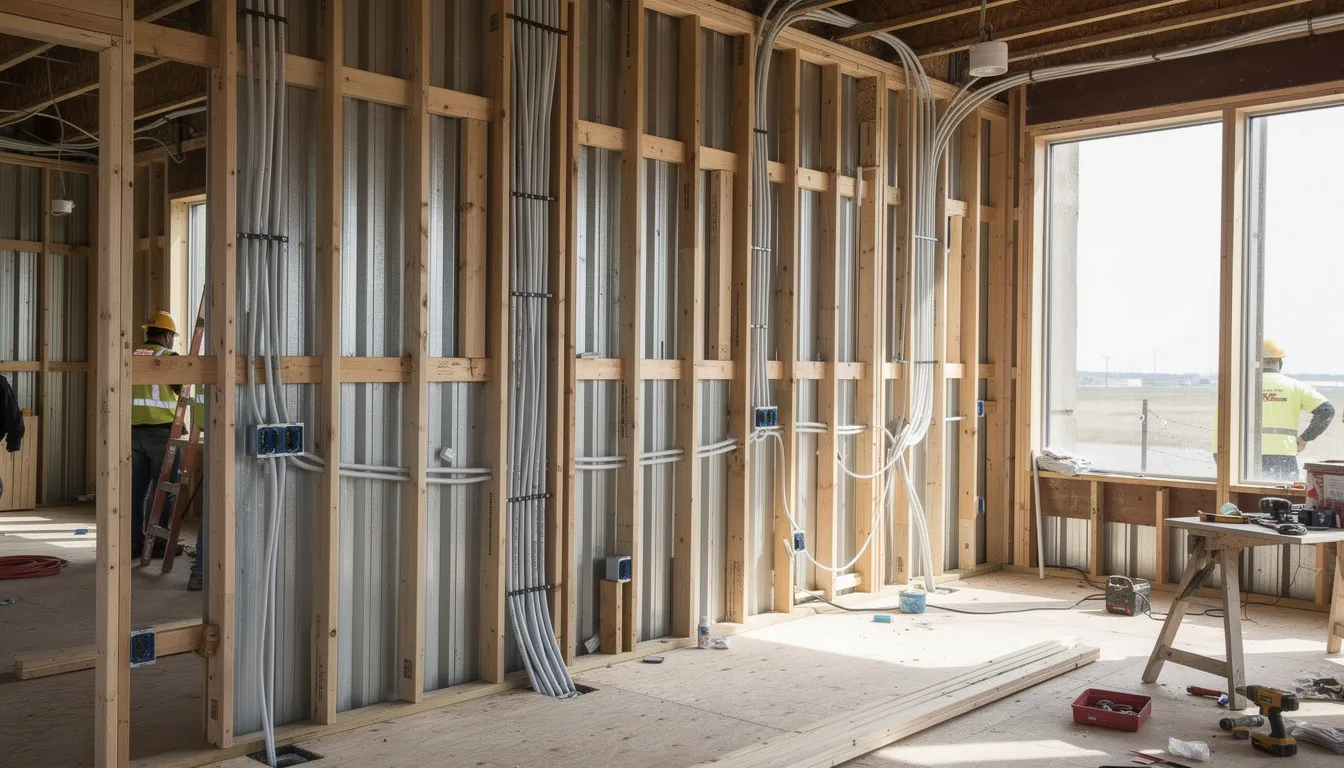
Consider a typical floor plan: A 2-story, 5-bedroom home in Thousand Oaks might require 25–35 data drops, 8–12 speaker locations, 15–20 lighting control points, shade wiring at 10+ windows, and camera runs to 6–8 exterior locations. That’s easily 80+ individual cable runs that need to happen before insulation goes in.
The bottom line: what your electrician installs keeps your lights on. What your smart home integrator installs makes your home intelligent. Both happen during construction, but they require separate planning and expertise.
The Core Pre-Wire Package for a New Construction Smart Home
At Get Wired Tec, we build a comprehensive “pre-wire map” for every new construction project. This document shows every cable run from a central rack or closet to its destination, ensuring nothing gets missed and every system works together.
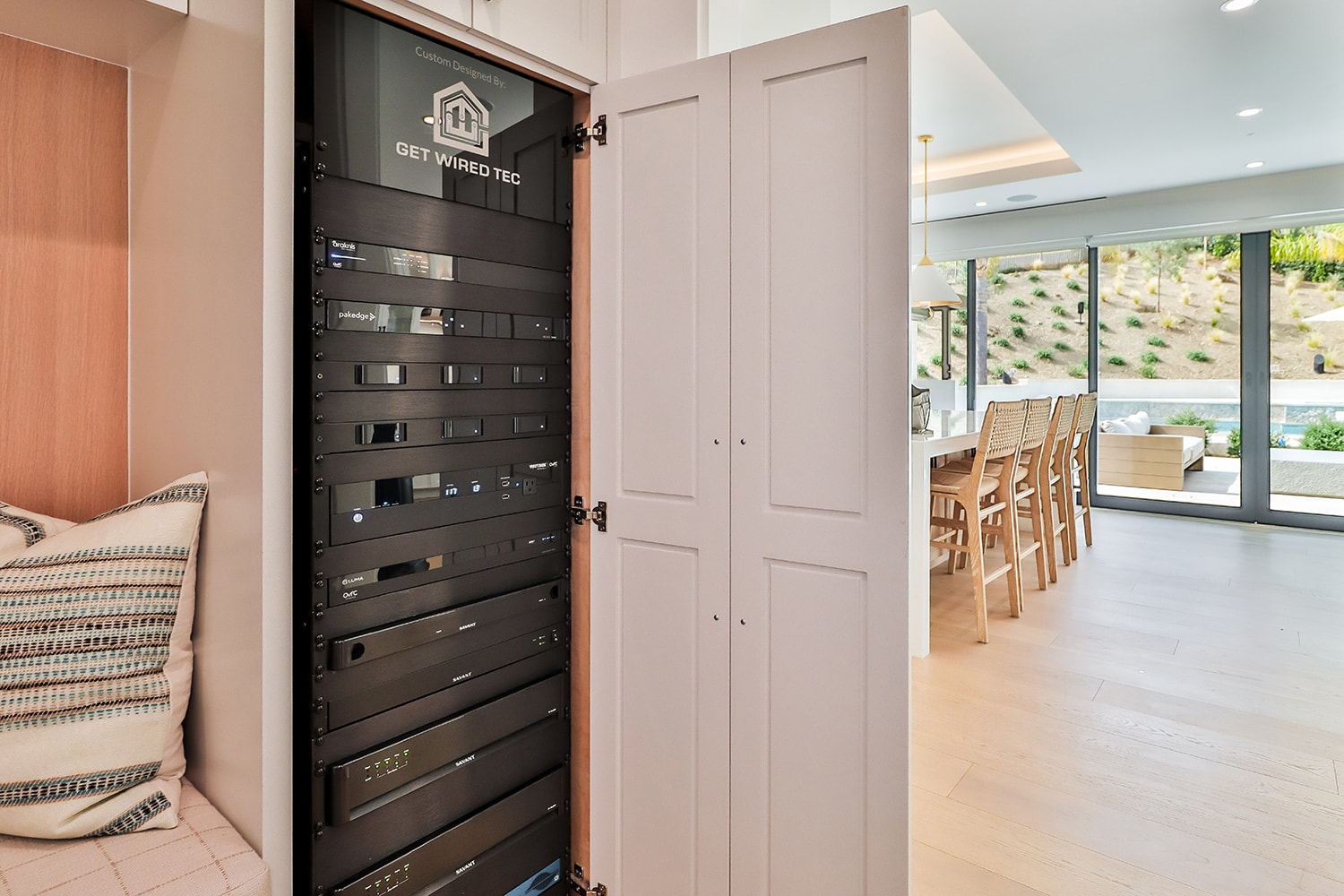
Before diving into specifics, let’s establish the foundation: your smart home infrastructure starts with a central low-voltage hub. This might be a dedicated tech closet, a section of your mechanical room, or a built-in under the stairs. This centralized location houses your network switches, audio/video equipment, automation processors, and security panels.
Planning this space early matters because it needs:
-
Adequate square footage
-
Dedicated electrical circuits
-
Ventilation or cooling to manage equipment heat
-
Easy access for service and upgrades
The following sections break down the essential systems that run from this hub to the rest of your home: networking, audio/video, lighting and shades, security, and outdoor living.
Wired Networking & Wi-Fi: No More Dead Zones
Reliable networking is the backbone of every other smart system. Without strong wi fi and wired connectivity, nothing else works properly.
We recommend Cat 6A home-run cabling from your central network rack to:
-
Every TV location
-
Every bedroom
-
Home offices (multiple drops)
-
Kitchen desk/command center areas
-
Key appliance areas (refrigerators, ovens with smart features)
-
Exterior locations for cameras and access points
For large or multi-story homes, dedicated ceiling drops for wireless access points are essential. This is especially critical in hillside LA properties or homes with thick stucco walls that block signals. A properly placed enterprise-grade access point every 1,500–2,000 square feet eliminates dead zones entirely.
Why does wired matter when wireless exists? Hard-wired connections for stationary devices—TVs, streaming boxes, gaming consoles, desktop computers—free up wireless bandwidth for phones, tablets, and IoT devices. The result: no dropped Zoom calls, 4K streaming without buffering, and gaming without lag.
Data from smart home integrators shows pre-wired homes achieve 99% uptime for networked devices versus 85% for wireless-only setups in multi-story structures. That 14% difference translates to real frustration avoided.
Your network rack location needs more than just cable terminations. Plan for:
-
A ventilated enclosure or open rack
-
Two dedicated 20-amp circuits
-
Space for enterprise-grade switches, routers, and UPS battery backup
-
Room to expand as technology evolves
This approach supports real networking infrastructure rather than consumer mesh kits that struggle with bandwidth demands in larger homes.
Whole-Home Audio & Video Distribution
There’s something special about walking into your kitchen and hearing your favorite playlist continuing from where it left off in the living room. That’s the magic of whole home audio—and it requires pre-wiring to work properly.
For audio, we typically pre-wire in-ceiling and in-wall speakers in:
-
Main living areas (great room, family room)
-
Kitchen
-
Primary suite (bedroom and bathroom)
-
Outdoor zones (covered patios, pool areas)
-
Secondary bedrooms (as owner preferences dictate)
We use 14/2 or 16/2 speaker wire depending on run lengths and speaker requirements. Wired speakers deliver superior sound quality compared to wireless alternatives due to reduced electromagnetic interference from appliances and other electronic devices.
For video distribution, the approach depends on your current and future needs:
-
Pre-wiring HDMI or HDMI-over-Cat 6A to each display location handles today’s 4K requirements
The aesthetic benefits are significant. In-ceiling speakers disappear into the architecture. Hidden subwoofer locations (built into cabinetry or closets) deliver bass without visible equipment. Clean TV walls without boxes, wires, or dangling cords create the polished look you’re designing for.
Coordination tip: Work with your interior designer to confirm furniture layouts before finalizing speaker and TV locations. There’s nothing worse than a centered speaker that ends up blocked by a tall armoire, or a TV pre-wire that doesn’t align with the sectional placement.
The ability to add or upgrade audio and video components years later—without reopening walls—is one of the most valuable aspects of thoughtful pre-wiring. Your speaker wire runs today support tomorrow’s upgraded amplifiers or expanded zones.
Lighting Control and Motorized Shading
Lighting control transforms how you experience your home. Instead of walking room to room flipping switches, you press one keypad button and your home shifts into “Movie Night” mode: lights dim, shades lower, and the TV powers on.
But lighting control systems like Lutron and Control4 aren’t plug-and-play additions. They require specific planning during electrical rough-in:
-
Different switch leg layouts than standard electrical
-
Neutral wires at all switch locations (not always standard in older practices)
-
Low-voltage control wiring for keypads in key locations
Many homeowners prefer centralized lighting panels in the equipment closet with low-voltage keypads throughout the home. This creates clean walls with elegant, customizable buttons rather than rows of standard toggles.
Motorized shades require their own pre-wiring considerations:
-
Power at the window header (120V or low-voltage depending on shade type)
-
Control wiring from the header back to your automation system
-
Framing reinforcement for heavy drapery track systems
This is particularly important in Southern California homes where large glass sliders and walls of windows are common. Motorized shades provide solar heat control, privacy in hillside properties, and glare reduction in ocean-facing rooms.
Critical warning: Shade wiring is nearly impossible to add after construction without visible wiremold or significant re-framing. If motorized shades are even a future possibility, the wiring must happen while walls and ceilings are open. Many homeowners who skip this step regret it within two years.
Security, Cameras, and Access Control
A properly wired security system provides protection and peace of mind that wireless alternatives can’t match.
For perimeter security, pre-wiring should include:
-
Door contacts at all entry points
-
Window contacts at ground-floor and accessible windows
-
Motion sensors in key interior zones
-
Glass-break detectors in rooms with large windows
These components wire back to a centralized security panel in your equipment room, enabling 24/7 monitoring tied to your network.
For surveillance cameras, Cat cable runs to strategic locations deliver:
-
4K video quality (wireless cameras typically max out at lower resolutions)
-
Consistent recording without bandwidth competition
-
Power-over-Ethernet (PoE) for single-cable installation
-
Cleaner mounting without battery packs or solar panels
Typical camera locations for LA and Ventura properties include driveways, front entries, backyards, side yards, and pool areas. Consider privacy implications and HOA guidelines when planning camera placement.
Additional access control wiring includes:
-
Smart doorbells with video
-
Gate intercoms (common in gated communities)
-
Smart lock wiring at primary entry points
-
Driveway sensors for vehicle detection
A wired backbone supports higher-quality video, better reliability, and cleaner aesthetics than ad-hoc wireless camera systems added after move-in. And your systems can still be monitored by your preferred security provider—the infrastructure simply makes everything work better.
Outdoor Entertainment and Exterior Systems
Southern California living means outdoor living. Your backyard, patio, and pool area deserve the same technology integration as your interior spaces.
Outdoor audio pre-wiring typically includes:
-
Landscape speakers throughout garden areas
-
Patio and pool-side speakers
-
Outdoor subwoofers for full-range sound
-
Weather-rated speaker cable in conduit under hardscape
Additional exterior infrastructure to plan:
-
Outdoor TV locations with power, data, and HDMI/Cat cable
-
Landscape lighting control wiring
-
Driveway gate controls
-
Conduit to future outdoor kitchen or spa areas
The key challenge with outdoor systems: timing. Conduits must be installed before concrete, decking, or stone pavers go down. Coordination with pool contractors and landscapers is essential.
We’ve seen projects in Malibu and Westlake Village where pre-installed conduit under pool decks saved $15,000+ in future demolition and reconstruction. Conversely, we’ve quoted retrofit projects where adding landscape audio required jackhammering through finished hardscape—a cost and disruption most homeowners can’t stomach.
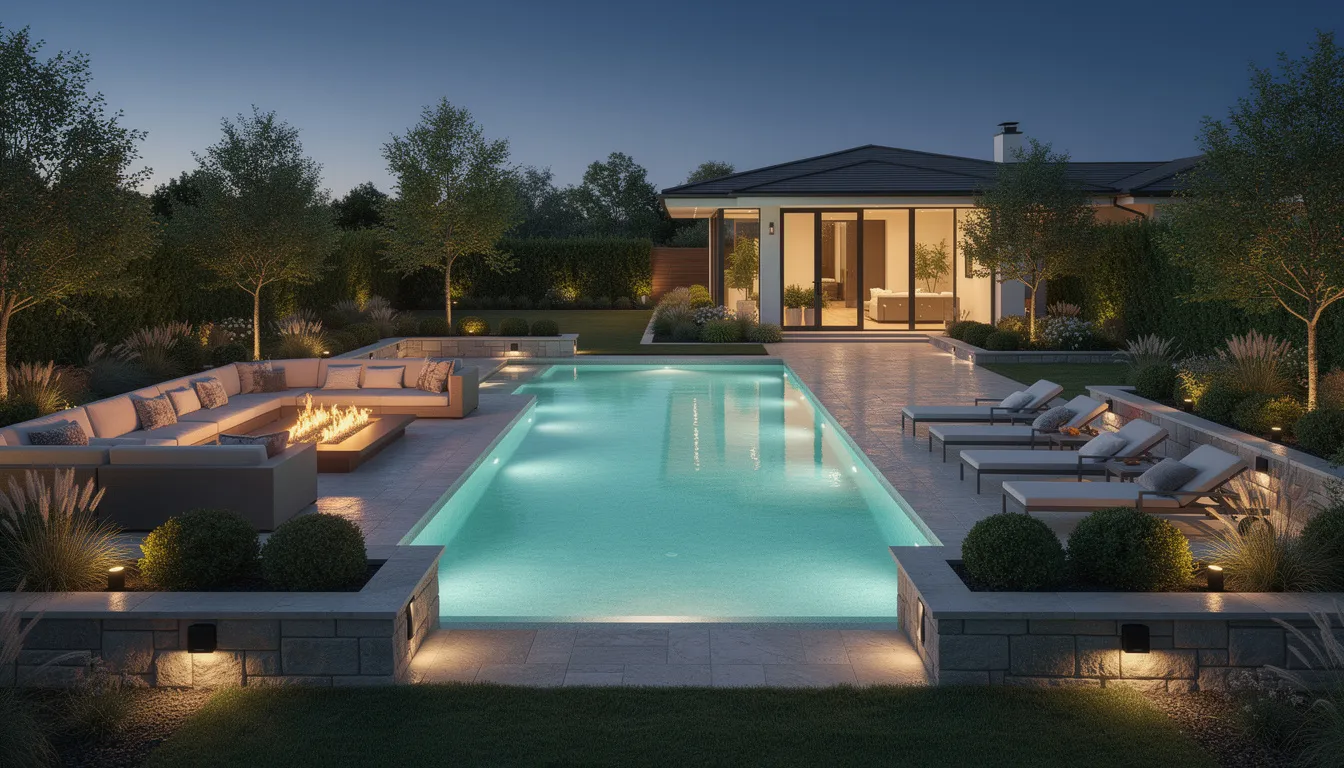
The goal is a fully integrated indoor-outdoor entertainment experience. Music follows you from kitchen to patio to pool. The TV by the outdoor fireplace works flawlessly. Your landscape lighting shifts automatically at sunset. This only happens with thoughtful pre-wire planning.
Future-Proofing: Planning for Tech You Don’t Own Yet
Here’s a reality of building in 2026: you don’t need to install every smart system on day one. Many clients start with networking, basic lighting control, and security—then add full automation, more elaborate audio, and expanded features over time.
But here’s what you absolutely must do now: install the infrastructure that makes future upgrades possible.
Strategic conduit placement is your best friend for future tech:
-
From garage to main electrical panel (EV chargers, battery storage)
-
From roof area to equipment room (solar integration, future antenna systems)
-
From exterior walls to equipment room (additional cameras, outdoor systems)
-
Between key equipment areas (flexibility for new cable types)
Pull strings in conduit allow future cables to be added without opening walls. A $50 investment in conduit during framing can save $5,000+ in demolition costs later.
“Dark” or unused cables represent another smart strategy. We often leave coiled cables in junction boxes for:
-
Speakers in rooms that might become media rooms later
-
Keypads in locations that may want additional control
-
Shade motors at windows where motorized shades aren’t in the initial budget
This approach acknowledges that new technology emerges constantly. Matter protocol integration, enhanced security features, 8K video distribution, and technologies we haven’t imagined yet will be easier to adopt with flexible infrastructure in place.
The investment in future possibilities during framing is modest—typically adding 10–15% to your pre-wire budget. The cost of not having that infrastructure when you want to add a feature later? Often 5–10x higher, plus the disruption of construction in your finished home.
Room-by-Room Pre-Wire Considerations
Every room in your home has distinct low-voltage needs. Here’s a high-level planning checklist organized by space type:
Great Room / Living Room:
-
2–4 data drops (TV, streaming devices, furniture locations)
-
2–4 in-ceiling speakers or in-wall speaker pairs
-
Lighting control keypads at entry points
-
Shade wiring at all window locations
-
Subwoofer pre-wire if applicable
Kitchen:
-
2–3 data drops (command center, smart appliances)
-
2–4 ceiling speakers
-
Under-cabinet lighting control
-
Shade wiring at windows
-
Display/TV location if desired
Primary Suite:
-
2–3 data drops (TV, desk area)
-
2–4 ceiling speakers (bedroom and bathroom)
-
Lighting keypads at bed location and entry
-
Shade wiring at all windows
-
TV pre-wire with conduit to closet for hidden equipment
Home Office:
-
3–4 data drops (desk, secondary locations)
-
Dedicated WAP ceiling drop if separated from main living areas
-
Video conferencing camera location
-
Lighting control for task and ambient zones
Dedicated Theater / Media Room:
-
Multiple speaker locations (5.1, 7.1, or Atmos configurations)
-
Projector and screen wiring
-
Equipment rack space or closet
-
Acoustic panel and lighting control integration
-
Dedicated HVAC consideration for equipment heat
Garage:
-
EV charger pre-wire (240V circuit + data)
-
Battery storage pre-wire location
-
Network connectivity for smart garage systems
-
Security camera drops
LA/Ventura-specific considerations:
-
Open-concept great rooms need more WAP coverage and distributed speaker zones
-
Large slider walls require multiple shade motor locations
-
ADUs (Accessory Dwelling Units) should have independent network connectivity
-
Hillside properties may need signal repeaters or additional WAPs
At Get Wired Tec, we typically walk the framed structure with the homeowner and builder to confirm exact TV, speaker, keypad, and shade locations before closing walls. This on-site verification ensures every pre-wire point lands exactly where it needs to be.
Coordinating with Architects, Builders, and Other Trades
Pre-wiring happens in a specific window: after framing is complete, before insulation and drywall go in. This overlaps with plumbing and electrical rough-in, HVAC installation, and other critical construction phases.
Timing matters. Ideally, your smart home integrator should be involved at schematic design—or at minimum, before permit submission. This early involvement prevents conflicts with:
-
Structural elements (beams, posts, headers)
-
HVAC runs and ductwork
-
Recessed lighting layouts
-
Plumbing chases and vents
-
Window and door rough openings
When we engage early with architects and builders, we can position keypads, speakers, shades, and racks without compromising the interior design vision. We can route cables through planned chases rather than competing for space in crowded wall cavities.
Coordination with other trades reduces change orders and construction delays. When the electrician knows where our low-voltage boxes go, they don’t place outlets in conflicting locations. When the HVAC contractor sees our speaker locations, they adjust register placement to avoid interference. When the cabinet designer receives our equipment dimensions, they build proper ventilation into the media cabinet.
For builders and general contractors, here’s what helps us help you:
-
Share reflected ceiling plans showing lighting layout
-
Provide interior elevations with furniture placement
-
Send cabinet drawings for media areas and equipment closets
-
Schedule a pre-construction meeting before framing begins
-
Allow time for low-voltage rough-in before insulation crew arrives
This collaborative approach ensures clean, concealed routing with minimal visible hardware—exactly what your discerning clients expect in a custom home.
Common Pre-Wire Mistakes (and How to Avoid Them)
After years of working on Southern California projects, we’ve seen the same common mistakes repeatedly. Here’s what to avoid:
Insufficient network drops Many builders default to 2–3 data drops per floor. A true smart home needs 4–6 drops per major room, plus dedicated WAP locations. Under-wiring here creates wireless congestion and limits future expansion.
No dedicated WAP ceiling locations Consumer mesh systems struggle in large homes with complex layouts. Pre-wiring ceiling-mounted access point locations provides commercial-grade coverage without visible equipment.
Missing shade power This is the most frequently regretted omission. Homeowners assume they can add motorized shades later, then discover the cost and disruption of retrofitting power to window headers.
Misaligned speaker and TV locations Speakers placed based on ceiling geometry rather than furniture layout end up off-center or blocked. TVs pre-wired without considering the final sectional placement require visible cable extensions or wall repairs.
No central rack space Cramming network and AV equipment into a utility closet without proper ventilation causes overheating, equipment failure, and limited expansion capability. Plan the space with your integrator, not as an afterthought.
Insufficient conduit between key areas Without conduit, adding cables later requires opening walls. Strategic conduit with pull strings between the garage, attic, equipment room, and key exterior locations preserves future flexibility.
Poor cable labeling and documentation Unlabeled cables create confusion during trim-out and extend troubleshooting time for years afterward. Every cable should be labeled at both ends, and as-built diagrams should document all runs.
Ignoring furniture and artwork placement Keypads behind planned artwork locations, cameras blocked by future shelving, speakers that conflict with chandelier placement—these issues arise when technology planning happens in isolation from interior design.
The solution to all these mistakes: insist on a documented wiring plan from your integrator, reviewed with your designer and builder, before framing begins. And demand as-built diagrams archived for future service calls.
How Get Wired Tec Designs and Delivers a Smart Pre-Wire
At Get Wired Tec, we’ve refined our pre-wire process through hundreds of projects across Los Angeles and Ventura Counties. Here’s how we work with homeowners and builders to get it right:
Initial Consultation We meet with you to understand your vision—how you want to live in your new home, what technology matters most, and what budget you’re working with. No pressure, no jargon, just a conversation about possibilities.
Technology Wish-List Session We walk through each room and outdoor area, discussing specific features: where you’ll watch TV, how you want music to flow, what level of automation appeals to you, how security fits your lifestyle.
Budget Alignment We present options at different investment levels, showing what’s essential infrastructure versus nice-to-have features. Every homeowner’s priorities differ, and our job is to maximize value within your budget.
Pre-Wire Drawings We create detailed drawings showing every cable run, device location, and equipment placement. These drawings coordinate with your architectural plans and get reviewed by all relevant trades.
On-Site Walkthroughs Before framing closes, we walk the site with you to verify every location. After rough-in, we verify again before drywall. This two-step confirmation prevents costly changes later.
Labeling, Testing, and Documentation Every cable gets labeled at both ends, tested for continuity, and documented with photos and diagrams. This information stays with your home forever, simplifying future service and upgrades.
We’re HTA-certified with deep experience in Control4, Crestron, and Lutron ecosystems. We work on residential projects from Malibu to Thousand Oaks, plus select commercial installations. Our focus is luxury homes that demand invisible, reliable technology.
After move-in, we offer optional service plans and remote monitoring so your systems stay updated and supported as you expand or adjust over time. Your relationship with Get Wired Tec doesn’t end at installation—we’re your long term technology partner.
Conclusion: Get It Right While the Walls Are Open
The difference between a beautiful house and a truly smart home comes down to what happens during construction—specifically, what happens behind the walls before drywall goes up.
Thoughtful pre-wire planning delivers:
-
Lower long-term cost (avoiding expensive retrofitting)
-
Cleaner aesthetics (no visible wiring or surface-mounted equipment)
-
Better performance (wired systems outperform wireless alternatives)
-
Flexibility for future upgrades (infrastructure ready for tomorrow’s technology)
The window for easy, cost-effective pre-wiring is narrow. Once those walls close, your options become limited and expensive. Many homeowners building in 2025–2026 are discovering that bringing a smart home integrator into the conversation early—before permits are pulled—saves money and delivers better results than any after-the-fact approach.
If you’re planning a new construction project or major renovation in Los Angeles or Ventura County, now is the time to plan early. Don’t wait until framing is complete to think about technology. Don’t assume your electrician has it covered. And don’t accept the limitations of retrofitting a finished home.
Ready to discuss your project? Contact Get Wired Tec for a pre-wire planning session or to review your current construction drawings. We’ll help you protect your investment and build a home that’s truly ready for today’s technology—and tomorrow’s.
Camarillo | Simi Valley | Thousand Oaks | Agoura Hills | Westlake Village | Bel Air| Brentwood | Beverly Hills | Calabasas | Lake Sherwood| Encino | Hidden Hills | Los Angeles | Malibu | Marina Del Rey | Manhattan Beach| Pacific Palisades | Santa Monica | Porter Ranch | Santa Barbara | West Hills | Woodland Hills|