Pre-Wire & Low Voltage Infrastructure Checklist for Builders and General Contractors
Introduction
Prewire and low voltage infrastructure planning during residential construction determines whether a finished home meets modern connectivity demands or requires expensive retrofits within years of completion. For general contractors working across Los Angeles, Santa Monica, Malibu, Westlake Village, Thousand Oaks and surrounding areas, coordinating structured wiring, smart home systems, and network Wi-Fi infrastructure before drywall installation represents a critical project phase that directly impacts property value and client satisfaction.
This comprehensive checklist covers everything contractors need to coordinate during construction phases—from pre-wiring specifications and equipment room planning to smart device integration and security systems installation. The scope includes structured cabling, electrical planning for technology loads, automation hub placement, and AV preparation, while leaving programming and final device configuration to a certified integrator like Get Wired Tec. General contractors managing custom home projects in Southern California’s luxury markets will find this particularly relevant, as clients in these areas consistently expect enterprise-grade connectivity supporting remote work, 4K streaming, and at minimum 100+ IoT devices.
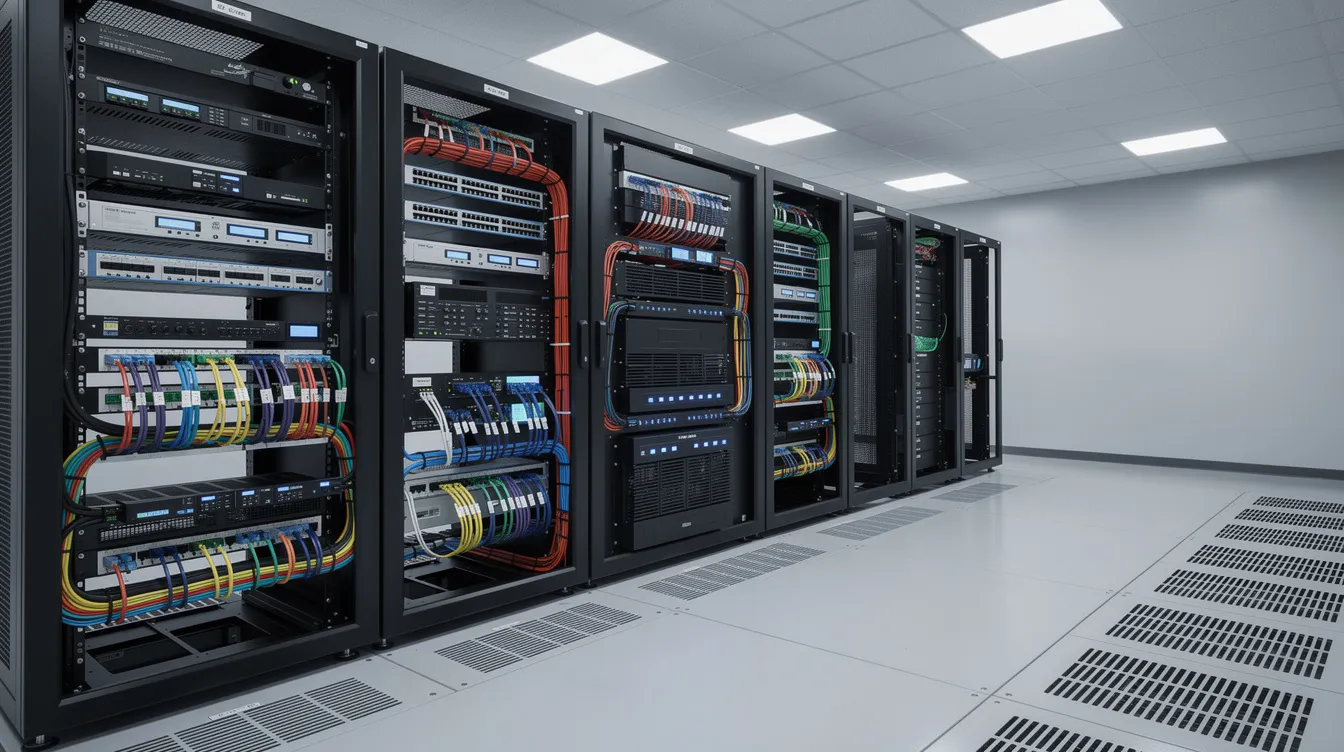
Direct answer: Essential technology infrastructure checklist items include installing Cat6 Ethernet to all specified data jack locations in desired rooms. Get Wired Tec recommends running 4 Cat6 and 1 Cat6A to every TV location. This ensures for necessary network connected devices and proper future proofing. Depending on the scope of work, it can also be advantageous to include fiber runs to these areas as well. Establishing a climate-controlled AV/network closet with proper ventilation and dedicated 20amp outlet(s) to ensure the proper amount of power for equipment being installed.
When it comes to pre-wiring security cameras, Get Wired Tec recommends using Cat6 wiring for all camera locations. Network Wi-Fi systems need to have Cat6A to every access point location. Cat6A is capable of providing higher speeds for further cable length runs.
Conduit runs can be necessary depending on the scope of work outlined and should be discussed during the planning phase. This ensures future proofing the build. Get Wired Tec provides markup plans to help determine the conduit runs for general contractors.
By following this checklist, contractors will:
-
Prevent costly post-construction retrofits that typically run 2-3 times new build costs
-
Ensure code compliance with California Title 24 energy efficiency mandates
-
Deliver homes that sell 20% faster and command 5-7% price premiums
-
Reduce coordination conflicts with electrical, HVAC systems, low voltage contractors and other trades
-
Future-proof properties for emerging technologies like fiber optics
Understanding Modern Home Technology and Low Voltage Infrastructure Requirements
Technology infrastructure in residential construction encompasses all low-voltage wiring, network equipment, automation systems, and supporting electrical capacity that enable smart home functionality. For general contractors, this infrastructure requires the same careful planning and trade coordination as plumbing or electrical systems—with the added complexity that technology standards evolve rapidly and client expectations vary significantly.
Integration affects construction project timelines at multiple phases. Low-voltage rough-in must occur after framing but before insulation, requiring 8-12 weeks lead time for specialized subcontractors. Equipment room preparation impacts HVAC planning, and conduit pathways must be established during foundation work. Missing these windows transforms simple installations into change orders that delay schedules and erode margins.
Core Infrastructure Components
Structured wiring systems form the foundation of modern home technology. Cat6 Ethernet cables serve as the gold standard, supporting gigabit speeds reliably over 100 meters and up to 10 Gbps for short runs—performance that far exceeds Cat5’s limitations at high speeds over distance. Contractors should specify Cat6 minimum, with Cat6a for future proofing in luxury builds where 40Gbps readiness protects the investment against obsolescence.
Electrical planning must account for technology loads beyond standard residential calculations. Smart home systems, security cameras, network equipment, audio visual and home theater systems require dedicated 20-amp circuits, while whole-home surge protection safeguards against California’s frequent power fluctuations from wildfires and grid strain. Power capacity should support 20-30% higher loads to accommodate EV chargers, induction stoves, and server-grade equipment.
These core components create the essential backbone—without adequate cabling and power infrastructure, no amount of premium devices will deliver reliable performance.
Smart Home Ecosystem Planning
Central control hubs compatible with major platforms like Josh ai, Control4, Savant, Nice/ELAN, and Lutron lighting enable unified management of lighting, HVAC systems, security, and home entertainment.
Device compatibility presents ongoing challenges as Zigbee and Z-Wave protocols fragment ecosystems. The Matter standard, now gaining adoption in 2025, promises improved interoperability, but contractors should still plan for separate VLANs and network segmentation to manage diverse devices securely. Understanding these systems helps contractors communicate effectively with integrators and clients during planning phases.
With infrastructure requirements established, the next step involves translating these concepts into actionable pre-construction planning tasks.
Pre-Construction Technology Planning Checklist
Successful technology integration begins months before breaking ground. The planning phase establishes scope, coordinates with design teams, and identifies potential conflicts before they become costly delays during execution.
Design Phase Coordination
Early technology consultation with certified integrators like Get Wired Tec, prevents the common mistakes that plague residential construction projects. Engaging professionals like Get Wired Tec during schematic design—not after permits are issued—allows proper equipment room placement and cable pathway planning before architectural drawings are finalized.
Floor plan review should identify optimal locations for the main distribution frame (MDF) and any intermediate distribution frames (IDF) for larger properties. MDF requires a minimum 4 feet clearance on all sides, HVAC exhaust to prevent overheating, and proximity to electrical panels. In warm climates like Malibu where summer temperatures exceed 90°F, equipment room ventilation is critical—poor airflow can disrupt equipment function, and which can ultimately lead to falure.
Permit and Code Compliance
Los Angeles County and Ventura County building codes impose specific requirements for low-voltage wiring that impact scheduling and materials. All structured cabling must meet NEC standards, and Malibu’s strict wildfire codes mandate fire-rated low-voltage cabling in designated zones.
California Title 24 energy efficiency standards require smart thermostats and lighting controls in new construction—these aren’t optional upgrades but compliance requirements. Non-compliance fines reach up to $10,000 per violation, making early coordination essential. Contractors should verify that specified automation systems meet Title 24 requirements before procurement.
Inspection scheduling must account for technology rough-in as a separate phase. Most jurisdictions require low-voltage inspection before insulation, creating a coordination window that, if missed, delays the entire project.
Material and Equipment Procurement
Cable specifications for structured wiring should include:
-
Cat6 Ethernet: 4 runs minimum per room, including bedrooms, offices, garages, and outdoor areas
-
Cat6A Ethernet: 1 run minimum per room, including bedrooms, offices, garages, and outdoor areas
-
Coaxial: 1 run minimum for TV distribution such as Direct TV or Cable at local zones
-
Security Camera pre-wire: All camera locations
-
Conduit: 1.5” minimum for future fiber optic installation
Equipment room requirements include climate control maintaining 65-75°F, dedicated electrical circuits, and rack systems sized for current needs plus 50% expansion capacity.
With planning complete, contractors can proceed to installation implementation with confidence that materials, permits, and coordination are in place.
Technology Installation Implementation and Sequencing
Installation timing within the construction schedule determines technology system success. Coordinating with low voltage, electrical and other trades require precise planning and clear communication about sequencing dependencies.
Pre-Drywall Installation Procedures
The pre-drywall phase represents the final opportunity for cost effective cable installation. Once walls close, retrofit costs multiply 2-3 times, making this window critical for the entire project timeline.
-
Underground conduit and service entry planning - Establish 2” conduit from the street to the equipment room/ DMARC for any future ISP (internet service provider) and TV service during foundation work, and coordinate with utility providers for high-speed internet service entry points. Get Wired Tec recommends a 1.5" conduit from DMARC to equipment closet.
-
Equipment room preparation and rack installation - Complete MDF/IDF construction including electrical, HVAC connections, and cable management systems; verify ceiling clearances accommodate rack heights
-
Cable pathway installation and home run wiring - Establish conduit runs from attic spaces and crawl spaces to equipment room. It's important that your low voltage contractor carefully pulls cables using proper techniques to avoid damage; maintain AT&T 568B termination standards
-
Device box placement for smart switches, sensors, and AV equipment - Position low-voltage boxes at specified heights; install mounting brackets for in-wall speakers, access points, and security cameras; label all boxes for final inspection documentation
System Type Comparison Table
|
Criterion |
DIY/Prosumer Systems |
Professional-Grade Systems |
|---|---|---|
|
Installation Complexity |
Moderate - homeowner configurable |
High - requires a certified integrator |
|
Scalability |
Limited |
Enterprise-grade |
|
Integration Capabilities |
Major ecosystems |
Full custom programming |
|
Remote Monitoring |
App-based, cloud dependent |
Local processing with backup, app based, cloud dependent, single interface convenience |
For Los Angeles area construction, system selection depends on client expectations and property positioning. Standard residential construction projects typically specify prosumer systems, while custom luxury builds in Malibu and Thousand Oaks warrant professional-grade installations that deliver 98% client satisfaction per builder surveys.
Understanding these system differences helps contractors advise clients appropriately and plan accurate budgets for each project scope.
Common Technology Integration Challenges and Solutions
Technology integration challenges during construction in Malibu and Westlake Village projects typically stem from inadequate planning rather than technical complexity. Addressing these issues proactively prevents delays and protects margins.
Insufficient Cable Pathways
Undersized conduit prevents future upgrades and limits system expansion. Install minimum 1.5” conduit for primary runs and 1” for secondary pathways. Include pull strings in all conduit to facilitate future cable installation. For homes in Santa Monica and Los Angeles where fiber connectivity is expanding, ensure the service entry can accommodate fiber optic cables without requiring exterior work.
Equipment Room Space Constraints
Many floor plans allocate insufficient space for technology infrastructure, treating it as an afterthought rather than essential building systems. Specify minimum 6’ x 8’ for the MDF in homes under 4,000 square feet, scaling up for larger properties. Ensure dedicated cooling—equipment generates significant heat that standard HVAC cannot adequately address. Budget for two equipment closets in larger estates where cable runs would otherwise exceed optimal lengths.
Trade Coordination Conflicts
Technology installation timing conflicts with electrical, HVAC systems, and insulation contractors create the most common delays. Establish technology rough-in as a scheduled phase with defined start and completion dates. Hold pre-construction meetings that include the technology integrator alongside electrical and mechanical teams. Build 2-3 day buffers around technology phases to accommodate coordination issues without impacting overall project schedule.
Wi-Fi Coverage Planning
Large Santa Monica and Thousand Oaks homes require multiple access points—mesh systems or enterprise-grade solutions to eliminate dead zones. Plan access point locations during design, typically one per 1,500 square feet plus outdoor coverage zones. Run Cat6a to all access point locations; wireless backhaul degrades performance in high-demand environments. Specify Power over Ethernet (PoE) switches to simplify access point power delivery.
Get Wired Tec recommends placing access points in open ceiling locations (this can be done with preconstruction boxes to limit visibility without degrading signal). It is not recommended to place access points in cabinets for aesthetic purposes as this will hinder the signal capabilities. With challenges addressed, contractors can confidently deliver technology-integrated homes that meet client expectations and market standards.
Conclusion and Next Steps
Comprehensive technology infrastructure planning prevents the costly retrofits that erode project margins and damage contractor reputations. By coordinating structured wiring, equipment rooms, and smart system preparation during construction rather than after completion, general contractors deliver homes that meet modern connectivity demands while protecting property values for homeowners.
Immediate actionable steps:
-
Add technology consultation to your standard pre-construction checklist for the next project
-
Establish relationships with certified integrators like Get Wired Tec, who understand Los Angeles and Ventura County requirements
-
Update specification templates to include Cat6 minimum cabling and proper equipment room requirements
-
Build technology rough-in inspection into project schedules as a defined milestone
Working with certified integrators like Get Wired Tec for Los Angeles and Ventura County projects ensures compliance with local codes while delivering the performance clients expect in competitive luxury markets. Early engagement—during design rather than construction—maximizes efficiency and minimizes the change orders that disrupt schedules and budgets.
Get Wired Tec Consultation Services: Serving Los Angeles, Santa Monica, Malibu, Westlake Village, and Thousand Oaks with comprehensive technology infrastructure planning, installation coordination, and system integration. Contact for pre-construction technology assessments that identify requirements before foundation work begins.